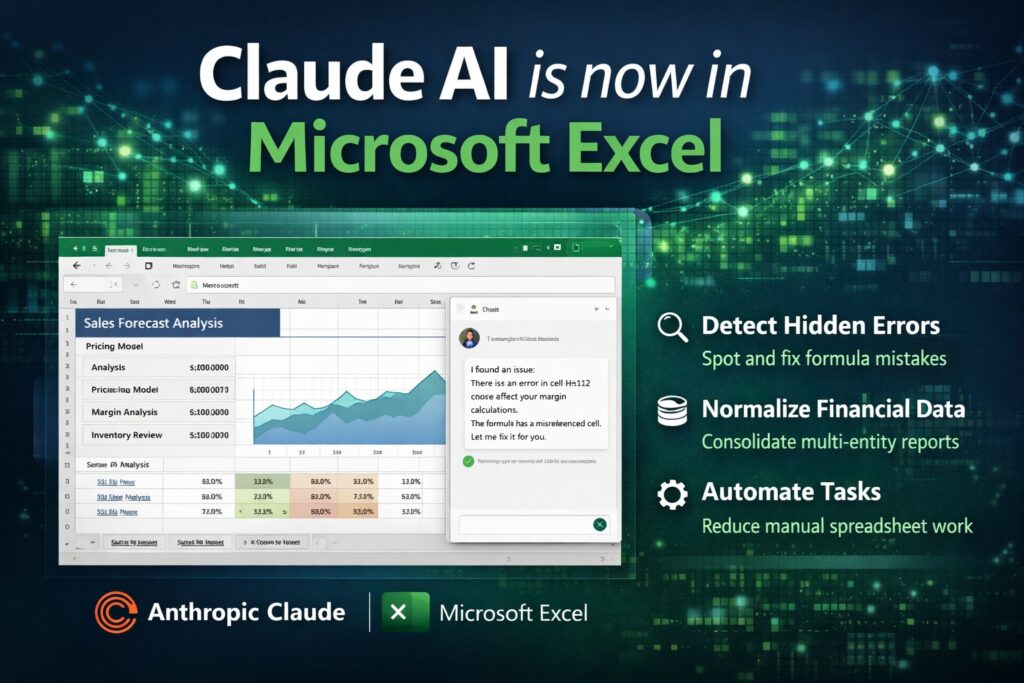
The modern enterprise is fundamentally underpinned by the spreadsheet, a tool that has remained the primary interface for quantitative decision-making for over four decades. However, this ubiquity has fostered a pervasive state of operational fragility known as spreadsheet chaos, characterized by fragmented data, versioning entropy, and the proliferation of “hidden formula landmines” that threaten fiscal integrity.1 The strategic partnership between Microsoft and Anthropic, finalized in late 2024 and expanding through 2026, represents a paradigm shift in how businesses interact with this legacy logic.3 By embedding Claude’s frontier models—specifically the Claude 4.5 suite—directly into the Microsoft Excel environment via Microsoft Foundry and Microsoft 365 Copilot, the collaboration introduces a reasoning layer to a traditionally passive calculation tool.3 This integration aims to move beyond simple automation to a state of “agentic” computation, where the AI serves not merely as a formula assistant but as a sophisticated analyst capable of interpreting complex financial narratives and remediating the structural failures that define spreadsheet chaos.1
The Anatomy of Spreadsheet Chaos and its Economic Toll
Spreadsheet chaos is defined as the systemic breakdown of data governance within an organization’s workbook ecosystem. It is not an isolated technical failure but a compounded organizational risk that erodes profitability and increases exposure to regulatory non-compliance.1 Enterprise studies indicate that approximately 88% of spreadsheets contain errors, a statistic that becomes particularly alarming when those spreadsheets control pricing, discounting, and margin calculations.1 The financial impact of these errors is well-documented, with major institutional losses, such as JPMorgan’s $6.2 billion trading loss in 2012, being traced back to manual spreadsheet errors.1
The Three Pillars of Spreadsheet Fragility
The chaos prevalent in B2B environments can be categorized into three primary manifestations: versioning entropy, formula fragility, and the manual wrangling burden.1
| Chaos Manifestation | Technical Description | Business Impact |
| Versioning Entropy | The proliferation of multiple “final” versions (e.g., “Pricing_v7_ACTUAL_FINAL.xlsx”) across disconnected silos. | Loss of a single source of truth; conflicting data in executive reports. |
| Formula Fragility | Complex, nested formulas that lack documentation and break when unmonitored edits are made. | Silent margin erosion; calculation errors that remain undetected for months. |
| Wrangling Burden | Highly-paid professionals spend up to 70% of their time on manual data entry and “spreadsheet shuffling.” | Opportunity cost of non-selling tasks; reduced time for strategic analysis. |
1
The manual wrangling burden is particularly acute in sales operations, where research suggests sales representatives spend only two hours per day actually selling.1 The remainder of their time is often consumed by the “dreaded spreadsheet shuffle,” manually transferring data between CRM systems and mission-critical workbooks.1 In the finance sector, the month-end close cycle frequently turns into an 80-to-100-hour exercise in manual data consolidation, particularly for multi-entity organizations that must normalize diverse charts of accounts and apply complex currency conversion rates.2 These rates, governed by accounting standards, require distinct applications for different account types, such as the current rate for balance sheet accounts and the average rate for profit and loss accounts, adding layers of recalculation burden that are prime targets for human error.2
Technical Architecture of the Claude-Excel Integration
The integration of Claude into Microsoft Excel is executed through two primary pathways: the Microsoft Foundry for production-grade development and the Microsoft 365 Copilot for end-user workflow augmentation.3 As of January 2026, Microsoft has transitioned Anthropic to a Microsoft subprocessor model, meaning Claude models now operate under Microsoft’s standard Product Terms and Data Protection Addenda.7 This transition is crucial for B2B adoption, as it removes the weeks or months of procurement overhead previously required to navigate separate vendor contracts.3
Model Specialization and Performance Benchmarks
The integration utilizes the Claude 4.5 model family, each optimized for specific enterprise tasks. These models are characterized by their 200,000-token context window, allowing them to process spreadsheets containing between 100,000 and 150,000 rows of data.9
| Model Variant | Primary Strength | Typical Excel Use Case |
| Claude 4.5 Opus | Deep reasoning and attention to detail. | Complex financial modeling, DCF construction, and multi-tab analysis. |
| Claude 4.5 Sonnet | Speed-to-intelligence and coding proficiency. | Formula generation, data cleaning, and script-based automation. |
| Claude 4.5 Haiku | High-volume processing and cost-efficiency. | Row-level categorization, sentiment analysis, and real-time sub-agents. |
3
The Claude 4.5 suite has demonstrated state-of-the-art performance on industry benchmarks. Specifically, Sonnet 4.5 topped the Finance Agent benchmark from Vals AI with 55.3% accuracy, significantly outperforming previous models on complex financial reasoning tasks.13 This performance is achieved through the models’ ability to independently write, edit, and execute code within a secure container, troubleshooting errors in real-time.9
Agent Mode and the Researcher Agent
Within the Excel interface, Claude manifests through “Agent Mode,” a text sidebar where users can interact conversationally with their workbooks.3 This mode allows Claude to read, analyze, and modify existing files while preserving their structural integrity.12 Furthermore, the Researcher agent within Microsoft 365 Copilot can be powered by Claude Opus 4.1 or 4.5 to handle multistep research tasks, reasoning over the web and internal company documents to populate spreadsheets with verified third-party data.3
Remediation of Spreadsheet Chaos via Reasoning Agents
The introduction of Claude into Excel addresses spreadsheet chaos not by replacing the spreadsheet, but by injecting governance and transparency into its operations.1
Transparency through Cell-Level Citations
A major driver of chaos is the “black box” nature of complex workbooks. Claude mitigates this by providing full transparency for every action it takes.13 When analyzing a spreadsheet, Claude tracks and explains its changes, providing clickable citations that navigate the user directly to the referenced cells.12 This feature allows senior analysts to spend less time on validation checks and more time on strategic interpretation, as the AI essentially documents the “why” behind every formula update or data modification.2
Formula Debugging and Integrity Preservation
Claude’s reasoning capabilities allow it to identify the root causes of common Excel errors, such as #REF!, #VALUE!, and circular references.11 Unlike standard auto-correct features, Claude understands the dependencies within the workbook architecture.12 For B2B companies, this means that legacy pricing models—often developed over years—can be audited and “cleaned” without losing the underlying business intelligence that gives the company its competitive edge.1
Managing Data Divergence in Multi-Entity Consolidation
For organizations operating across multiple entities, Claude can automate the normalization of diverse charts of accounts.2 Traditional methods rely on fragile lookup tables that break when new accounts are added. Claude, using rule-based mapping and conversational logic, can interpret the relationship between different account structures and automatically apply the correct consolidation rates.2 This reduces the month-end close cycle and ensures that the reporting structure remains consistent even as the business scales through acquisitions.2
B2B Applications: Financial Modeling and Risk Analysis
The financial services sector represents the primary use case for the “Claude for Excel” add-in.13 The ability of Claude to build and interpret complex financial models from natural language prompts is a significant departure from previous AI tools that merely suggested formulas.16
Construction of Valuation and DCF Models
Private equity and corporate finance teams can leverage Claude to generate structured Discounted Cash Flow (DCF) analyses.16 By prompting Claude with a request such as “build a 3-statement financial model for a SaaS acquisition,” the AI can populate cells across multiple ranges, including the calculation of the Weighted Average Cost of Capital (WACC) and terminal value.12
The fundamental DCF formula implemented by the AI typically follows the structure:
Where:
- is the current value of the firm.
- is the free cash flow at time .
- is the discount rate.
- is the perpetual growth rate.
Claude not only provides the result but builds the formula logic into the spreadsheet, allowing analysts to manually adjust assumptions and see the cascading impact on the final valuation.12
Scenario and Sensitivity Analysis
B2B companies often face unpredictable market conditions, requiring robust scenario planning.12 Claude can automatically create base, bull, and bear scenarios by adding downside or upside cases to existing revenue projections.12 Furthermore, it can build sensitivity tables showing how the Internal Rate of Return (IRR) changes across different exit multiples and hold periods.12
| Scenario | Growth Assumption | Margin Assumption | Expected Outcome |
| Base Case | 10% YoY | 25% EBITDA | Sustained IRR of 18%. |
| Bull Case | 15% YoY | 28% EBITDA | Strategic expansion potential; IRR 24%. |
| Bear Case | -5% YoY | 20% EBITDA | Debt covenant risk; IRR 11%. |
12
B2B Applications: Sales Operations and Strategic Growth
In the context of sales operations, the integration of Claude into Excel provides a mechanism for sophisticated lead scoring and territory planning.17
Lead Scoring and Grading Frameworks
B2B sales teams often struggle with imprecisely qualified leads. By using Claude in Excel, teams can apply custom lead scoring logic directly to their spreadsheet rows.17 For instance, a seniority scoring system can be developed using an AI formula that assigns a value of 1-10 based on job titles.17
| Job Title Category | Score Range | Priority Recommendation |
| C-Level Executives | 9-10 | Immediate Executive Outreach. |
| VPs and Directors | 7-8 | Direct Sales Engagement. |
| Managers | 5-6 | Marketing Nurture Track. |
| Individual Contributors | 3-4 | Low-Touch Digital Engagement. |
17
Beyond simple scoring, Claude can categorize leads into ‘Hot,’ ‘Warm,’ and ‘Cold’ based on a combination of demographics (Lead Grade) and behavior (Lead Score).18 By utilizing Claude’s ability to handle qualitative data, a B2B company can instruct the AI to “categorize the lead as ‘Hot’ if the job title is C-suite, regardless of the engagement score,” thereby ensuring high-value prospects are never overlooked.18
RFP and Contract Review
B2B companies managing complex RFPs and legal documentation can use Claude’s 200,000-token context window to process entire contracts in a single pass.19 In an Excel-based RFP tracker, Claude can extract key clauses, identify compliance risks, and provide structured recommendations for vendor selection.19 This reduces data fragmentation, as the legal, finance, and procurement teams can all reference the same AI-augmented analysis within the workbook.19
Operational Optimization: Supply Chain and Logistics
Supply chain management is another domain where spreadsheet chaos often leads to inefficiencies.14 Claude’s ability to analyze warehouse shipment backlogs and order compositions allows B2B companies to optimize their batch picking and packing workflows.20
Fulfillment Optimization Analysis
Using specialized “Claude Skills,” the AI can query shipment data and categorize orders into single-unit dominant or multi-unit dominant profiles.20 This leads to tailored recommendations based on the specific bottleneck identified in the warehouse.20
| Analysis Focus | Bottleneck Identified | Recommendation |
| Single-Unit Throughput | Packing capacity. | Pre-Print & Pack for high-volume SKUs; grab full cases directly. |
| Multi-SKU Complexity | Pick path efficiency. | Zone grouping and product co-location based on pairing analysis. |
| Workflow Segmentation | Staffing allocation. | Separate waves by order type; dedicated stations for single units. |
20
Furthermore, Claude can perform product pairing analysis, identifying which items are frequently ordered together to recommend physical co-location in the warehouse, thereby reducing the “travel time” for pickers.20
Governance, Compliance, and Data Security
For B2B companies, the move to an AI-integrated spreadsheet environment requires rigorous attention to data security and regional regulations.7
Subprocessor Status and Enterprise Data Protection (EDP)
As of January 2026, Microsoft’s transition of Anthropic to subprocessor status means that Claude usage is governed by Microsoft’s standard Enterprise Data Protection (EDP) rules.7 This provides several critical safeguards for B2B companies:
- Data Isolation: Customer data is not used to train the underlying models.7
- Copyright Commitment: The Microsoft Customer Copyright Commitment applies to Anthropic models within covered products.8
- Contractual Unity: Use of Claude is covered by the existing Microsoft Product Terms and Data Protection Addendum, eliminating the need for separate legal assessments.7
Regional Variations and Exclusions
Despite the global rollout, regional limitations exist due to data residency requirements.7 In the European Union (EU), European Free Trade Association (EFTA), and the United Kingdom (UK), the Claude integration is “Off” by default.8 Administrators in these regions must proactively opt-in, acknowledging that Anthropic models are currently excluded from the EU Data Boundary and in-country processing commitments.8 Furthermore, as of early 2026, Claude remains unavailable in government clouds (GCC, GCC High, DoD) as FedRAMP certifications are still pending.8
Measuring ROI: Productivity and Strategic Transformation
The adoption of AI in the spreadsheet ecosystem is increasingly driven by measurable ROI rather than experimental curiosity.21
Productivity vs. Throughput Metrics
As of 2025, 72% of enterprise leaders are formally measuring Gen AI ROI, focusing on productivity gains and incremental profit.22 Studies show that workers with AI skills can expect to earn up to 56% higher wages than those without, reflecting the significant value businesses place on AI-augmented productivity.23
| Role Type | Reported Time Savings (Daily) | Primary Benefit |
| Finance Analyst | 60–80 Minutes | Faster month-end close; error-free consolidations. |
| Sales Operations | 40–60 Minutes | Improved lead scoring; automated territory mapping. |
| Marketing Manager | 50 Minutes | Accelerated campaign execution; automated reporting. |
24
However, while productivity gains are widespread, only 34% of companies are truly “reimagining” their business processes around AI capabilities.21 The majority of B2B firms are still in the “redesigning key processes” phase, where AI is used to optimize existing workflows rather than invent new ones.21
The Shift from Chatbots to Task-Specific Agents
The industry is currently pivoting from simple text-based interaction to autonomous action.25 By the end of 2026, 40% of enterprise applications are projected to include task-specific AI agents.25 In the Excel context, this means Claude will move from answering questions about data to proactively flagging risks, suggesting procurement changes, and initiating follow-up actions in other Microsoft 365 apps.5
Implementation Strategy: From Chaos to Governance
For a B2B company to successfully transition from spreadsheet chaos to an AI-governed state, a structured implementation blueprint is necessary.26
The 30-Day Migration Blueprint
| Phase | Timeline | Core Activities |
| Audit | Days 1–7 | Identify critical workbooks; categorize by risk level and owner. |
| Schema Definition | Days 8–15 | Import “golden samples” of data; define objects and relational fields. |
| Automation Pilot | Days 16–23 | Configure AI-driven alerts; pilot data summaries and field extraction. |
| Deployment | Days 24–30 | Complete migration; archive legacy files; limit edit access to governed versions. |
26
During the pilot phase, it is recommended to use low temperature settings (near 0) for qualification and financial tasks to ensure deterministic, predictable results.27 Conversely, higher temperatures can be used for creative brainstorming or initial outreach drafts.27
Future Outlook: The Inflection Point of 2026
As of early 2026, the generative AI stack has largely stabilized, with enterprises standardizing around a small set of reliable tools.25 The integration of Claude into the Microsoft ecosystem marks an inflection point where AI becomes a core part of the “knowledge operating system” rather than a supplementary feature.6
The broader impact on the workforce is measurable, with 82% of enterprise leaders reporting that AI enhances employee skills.22 However, this shift also introduces “workforce anxiety,” as 32% of organizations expect a decrease in workforce size due to AI-driven efficiencies.25 For B2B companies, the challenge in the coming years will be to pair measurable ROI with responsible integration, building a culture where professionals have the “AI fluency” required to manage the agents that now operate within their spreadsheets.21
In conclusion, the addition of Anthropic Claude to Microsoft Excel provides a powerful antidote to the systemic failures of spreadsheet chaos. By combining frontier intelligence with the world’s most ubiquitous calculation interface, B2B companies can finally bridge the gap between raw data and strategic insight, transforming the “dreaded spreadsheet shuffle” into a governed, agentic workflow that drives long-term profitability and operational resilience.1
Works cited
- servicePath™ Spreadsheet Calculator: Enterprise CPQ Excel …, accessed January 27, 2026, https://servicepath.co/2025/08/servicepath-spreadsheet-calculator-enterprise-cpq-excel-integration/
- Multi-Entity Consolidation: Definition, Process & Automation – Nominal, accessed January 27, 2026, https://www.nominal.so/blog/multi-entity-consolidation
- Claude now available in Microsoft Foundry and Microsoft … – Anthropic, accessed January 27, 2026, https://www.anthropic.com/news/claude-in-microsoft-foundry
- Microsoft to its software engineers: Use both Claude Code and GitHub Copilot, give, accessed January 27, 2026, https://timesofindia.indiatimes.com/technology/tech-news/microsoft-to-its-software-engineers-use-both-claude-code-and-github-copilot/articleshow/127296141.cms
- Expanding model choice in Microsoft 365 Copilot, accessed January 27, 2026, https://www.microsoft.com/en-us/microsoft-365/blog/2025/09/24/expanding-model-choice-in-microsoft-365-copilot/
- Anthropic expands its spreadsheet push with Claude for Excel – The Rundown AI, accessed January 27, 2026, https://www.therundown.ai/p/claude-for-excel-opens-the-gates
- Microsoft 365 Copilot to Enable Anthropic Models by Default: What …, accessed January 27, 2026, https://www.uctoday.com/unified-communications/microsoft-365-copilot-to-enable-anthropic-models-by-default-what-compliance-leads-need-to-know/
- Anthropic as a subprocessor for Microsoft Online Services | Microsoft …, accessed January 27, 2026, https://learn.microsoft.com/en-us/copilot/microsoft-365/connect-to-ai-subprocessor
- Introducing Claude 3.5 Sonnet – Anthropic, accessed January 27, 2026, https://www.anthropic.com/news/claude-3-5-sonnet
- How to Use Claude.ai for Data Analytics (Safely with Coupler.io), accessed January 27, 2026, https://blog.coupler.io/how-to-use-claude-ai-for-data-analytics/
- Anthropic’s New Feature Integrates Claude in Excel, Access Available to Pro and Enterprise Plan Users – Outlook Business, accessed January 27, 2026, https://www.outlookbusiness.com/start-up/deeptech/anthropics-new-feature-integrates-claude-in-excel-access-limited-to-pro-and-enterprise-plan-users
- Claude in Excel | Claude Help Center – Claude Support, accessed January 27, 2026, https://support.claude.com/en/articles/12650343-claude-in-excel
- Advancing Claude for Financial Services – Anthropic, accessed January 27, 2026, https://www.anthropic.com/news/advancing-claude-for-financial-services
- Introduction to Claude Skills, accessed January 27, 2026, https://platform.claude.com/cookbook/skills-notebooks-01-skills-introduction
- Use Claude with Researcher in Microsoft 365 Copilot, accessed January 27, 2026, https://support.microsoft.com/en-us/topic/use-claude-with-researcher-in-microsoft-365-copilot-23e2503b-d73e-4abb-902d-b9814205a38a
- AI for PE finance teams: Claude in Excel, MCP for Power BI and …, accessed January 27, 2026, https://hollandmountain.com/ai-for-finance-teams-in-private-equity/
- Lead Scoring for Inbound [Automated Inbound] – Clay University, accessed January 27, 2026, https://university.clay.com/lessons/lead-scoring-inbound-automation
- Use AI to Grade, Score, and Qualify Leads in Bulk in Sheets or Excel – GPT for Work, accessed January 27, 2026, https://gptforwork.com/blog/grade-score-qualify-sales-in-bulk-chatgpt-sheets-excel
- When to Use Claude AI for B2B Success | Sagefrog, accessed January 27, 2026, https://www.sagefrog.com/blog/when-to-use-claude-ai-for-b2b-success-how-it-stacks-up-against-chatgpt-gemini/
- Fulfillment Optimization Analysis – Claude Skills – Fulfil.io, accessed January 27, 2026, https://www.fulfil.io/resources/claude-skills/fulfillment-optimization/
- The State of AI in the Enterprise – 2026 AI report | Deloitte US, accessed January 27, 2026, https://www.deloitte.com/us/en/what-we-do/capabilities/applied-artificial-intelligence/content/state-of-ai-in-the-enterprise.html
- 2025 AI Adoption Report: Gen AI Fast-Tracks Into the Enterprise – Knowledge at Wharton, accessed January 27, 2026, https://knowledge.wharton.upenn.edu/special-report/2025-ai-adoption-report/
- 34 enterprise AI statistics [2026] – Zapier, accessed January 27, 2026, https://zapier.com/blog/enterprise-ai-statistics/
- The state of enterprise AI – OpenAI, accessed January 27, 2026, https://cdn.openai.com/pdf/7ef17d82-96bf-4dd1-9df2-228f7f377a29/the-state-of-enterprise-ai_2025-report.pdf
- 350+ Generative AI Statistics [January 2026] – Master of Code, accessed January 27, 2026, https://masterofcode.com/blog/generative-ai-statistics
- Best AI Tools to Stop Using Spreadsheets – Routine, accessed January 27, 2026, https://routine.co/blog/posts/best-ai-tools-spreadsheets
- HiveHub – Master the Art of Claude AI Prompts for B2B Lead …, accessed January 27, 2026, https://hivehub.blog/mastering-ai-agents-in-claude-leadgeneration/